Hotel Lobby AI Video Template
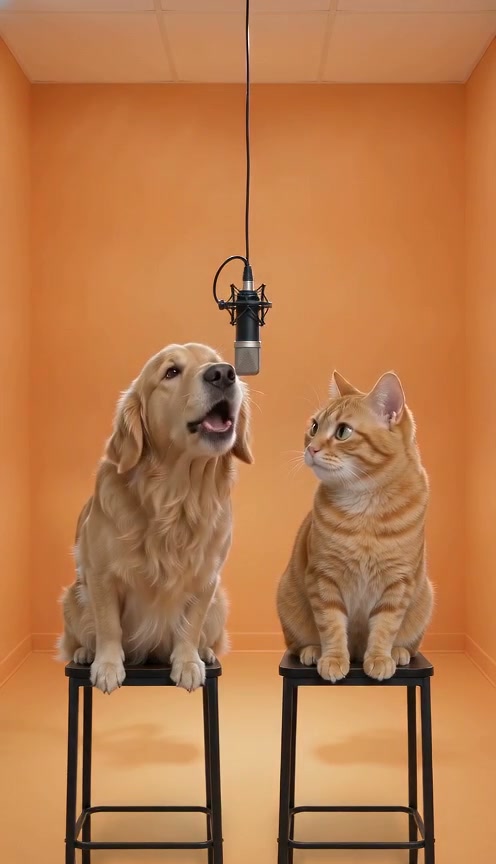
PetsCreate a Hotel Lobby AI video from two pet photos. Upload one photo of each cat or dog to cast them as the left and right performers on stools beneath a shared microphone in an orange studio, with a fixed backing track.
Add your photos
Left pet
One pet per photo, with its face, fur and body clearly visible.
Right pet
One pet per photo, with its face, fur and body clearly visible.
JPG, PNG or WebP · Up to 10 MB each · At least 256 × 256 px
0 of 2 photos ready
Checking your account…
 Reference video
About this scene
Use the Hotel Lobby AI generator to turn two cat or dog photos into a pet duet. Upload one photo per pet for an orange-studio performance with a shared microphone and fixed backing track.
10 seconds · 9:16 video · 10 credits · 2 photos
Compare this scene with Smalltown Boy, Birthday Champagne, Window Peeper AI to choose a different setting or performance.
Want to describe your own scene? Try the image to video free trial.
Choose your photos
Use one pet per image, with the face, fur markings and body visible. Put the pet you want on the left in the first slot and the pet on the right in the second.
Make your video
- Add a photo to each role above and confirm you have permission to use it.
- Sign in and check your credit balance, then select Generate video.
- Once your task has started, follow its progress in My videos. Watch and download it when it is ready.
Before you create
Does Hotel Lobby AI use a different song each time?
No. This template uses a fixed backing track rather than asking the model to invent new music. You cannot upload or select a different song here.
Will my result look exactly like the preview?
The main preview is a reference video. TakeBop-generated examples are labeled separately. Your video uses your photos and follows the scene, but faces, movement and small details can vary.
What happens if generation fails?
Credits are returned automatically when a task is confirmed as failed. If it is still processing or its status is unclear, check My videos before starting another attempt.
Can I choose the music or use my own voice?
This template includes a fixed backing track. It does not offer music selection, voice uploads or voice cloning.